Use your iPhone as a TV remote
Your iPhone is always within reach, your TV remote often isn't. If your TV is a smart TV on your home Wi-Fi, Relayo Remote turns your iPhone into a clean, fast remote with the buttons you actually use.

How to use your iPhone as a TV remote
- Make sure your TV is on and connected to the same Wi-Fi network as your iPhone.
- Download Relayo Remote from the App Store and open it. When iOS asks for access to your local network, tap Allow so the app can find your TV.
- Pick your TV from the list. Confirm the connection once on the TV: enter the code shown on Google TV and Android TV, or choose Allow on Samsung and LG.
- Done. From now on the app opens straight to the remote and reconnects to your TV automatically.
Which TVs work?
Samsung smart TVs with Tizen (2016 and newer), LG smart TVs with webOS, and TVs or streaming devices with Google TV or Android TV, such as Sony Bravia, TCL, Philips, Xiaomi, Sharp, many Hisense models and Chromecast with Google TV.
Why Wi-Fi instead of infrared?
iPhones have no infrared transmitter, so they can't act like a classic remote. A Wi-Fi remote doesn't need line of sight either: you can change the volume or pause from the kitchen or the next room.
What you can do
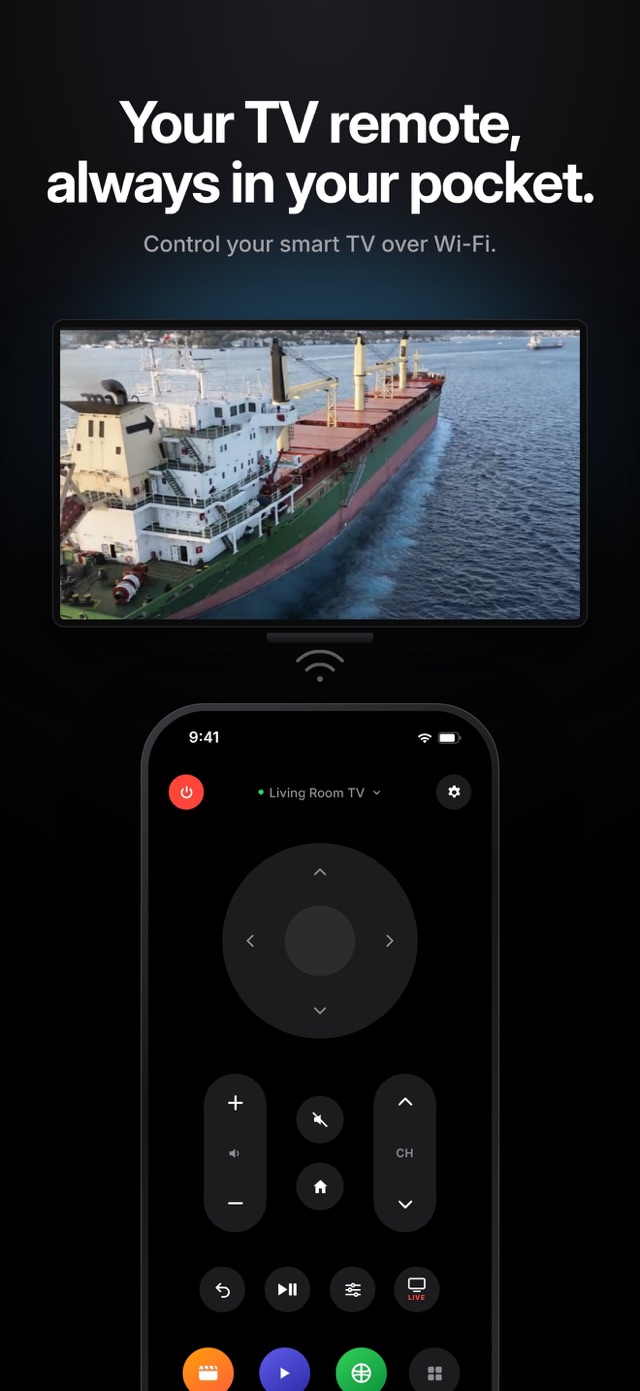
Directional pad and OK, volume, channels, mute, power, home and back, play and pause, the TV's settings menu, live TV, and one-tap access to the apps on your TV. Pin your three favourite apps to the remote screen.
More than one TV
Add the living room, bedroom and kids' room TVs, give each one a name and switch between them with a tap.
Frequently asked questions
Does my iPhone need anything extra to control the TV?
No extra hardware. Your iPhone and TV only need to be on the same Wi-Fi network.
Can I use it on a guest network or with a VPN?
Guest networks usually stop devices from seeing each other, and a VPN on the phone can hide the TV. Use your main home network and turn off the VPN while using the remote.
Does it work with older, non-smart TVs?
No. The TV must be a smart TV connected to your network. Non-smart TVs can only be controlled with infrared.