Use your iPhone as a Samsung TV remote
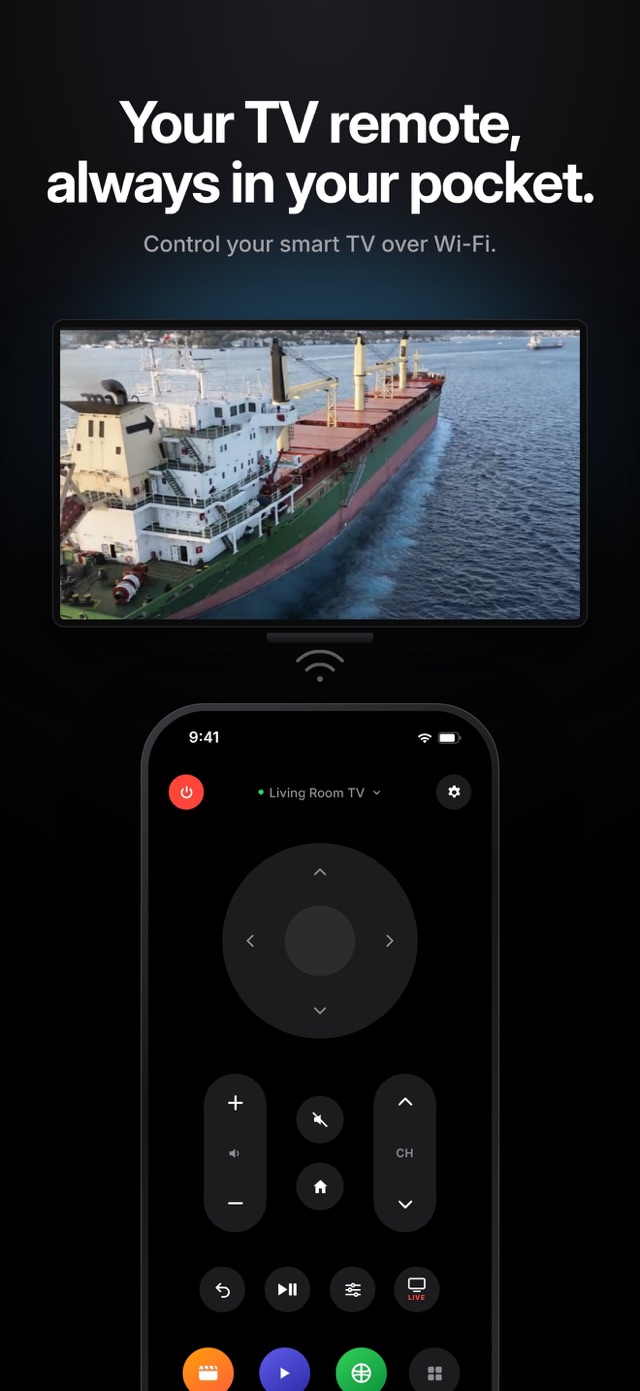
Lost the remote, or the batteries just died? If you have a Samsung smart TV, your iPhone can control it over your home Wi-Fi. Relayo Remote gives you the arrows, OK, volume, channels, home, back and your TV apps in one clean screen.

How to control a Samsung TV with your iPhone
- Turn on your Samsung TV and make sure it is connected to the same Wi-Fi network as your iPhone.
- Open Relayo Remote. Your Samsung TV appears in the list within a few seconds. Tap it.
- Your TV shows a message asking to allow the connection. Choose "Allow" with the TV remote (you only do this once).
- That's it. Relayo Remote reconnects to your Samsung TV automatically every time you open it.
Which Samsung TVs work?
Samsung smart TVs from 2016 onwards that run Tizen, including most Crystal UHD, QLED, Neo QLED, The Frame and OLED models. Older Samsung TVs without Tizen and non-smart TVs can't be controlled over Wi-Fi.
What you can do
Navigate menus with the directional pad, change volume and channels, mute, go home or back, play and pause, open the TV's settings menu, switch to live TV and launch the apps installed on your TV with one tap.
Turning the TV on
The power button turns your Samsung TV off from your phone. Turning it back on over Wi-Fi only works if your TV keeps its network active in standby. On many models you can enable this under Settings > General > External Device Manager > "Power On with Mobile".
Frequently asked questions
Do I need an IR blaster or extra device?
No. Relayo Remote talks to your Samsung TV directly over your home Wi-Fi network. iPhones don't have an infrared transmitter, so Wi-Fi is the way to go.
My Samsung TV doesn't show up. What can I do?
Check that the TV is on (not in standby) and that your iPhone and TV are on the same Wi-Fi network. Guest networks and some mesh setups can block devices from seeing each other.
I pressed "Deny" by mistake. How do I fix it?
On the TV, go to Settings > General > External Device Manager > Device Connection Manager > Device List, remove Relayo Remote or set it to Allow, then connect again.